VRA Planning
BetaTurn soil variability into a fertilizer plan
See how phosphorus and potassium vary across your field, compare application options and build product prescriptions from your Siora soil analysis.
Free for every Siora user who has created a soil analysis
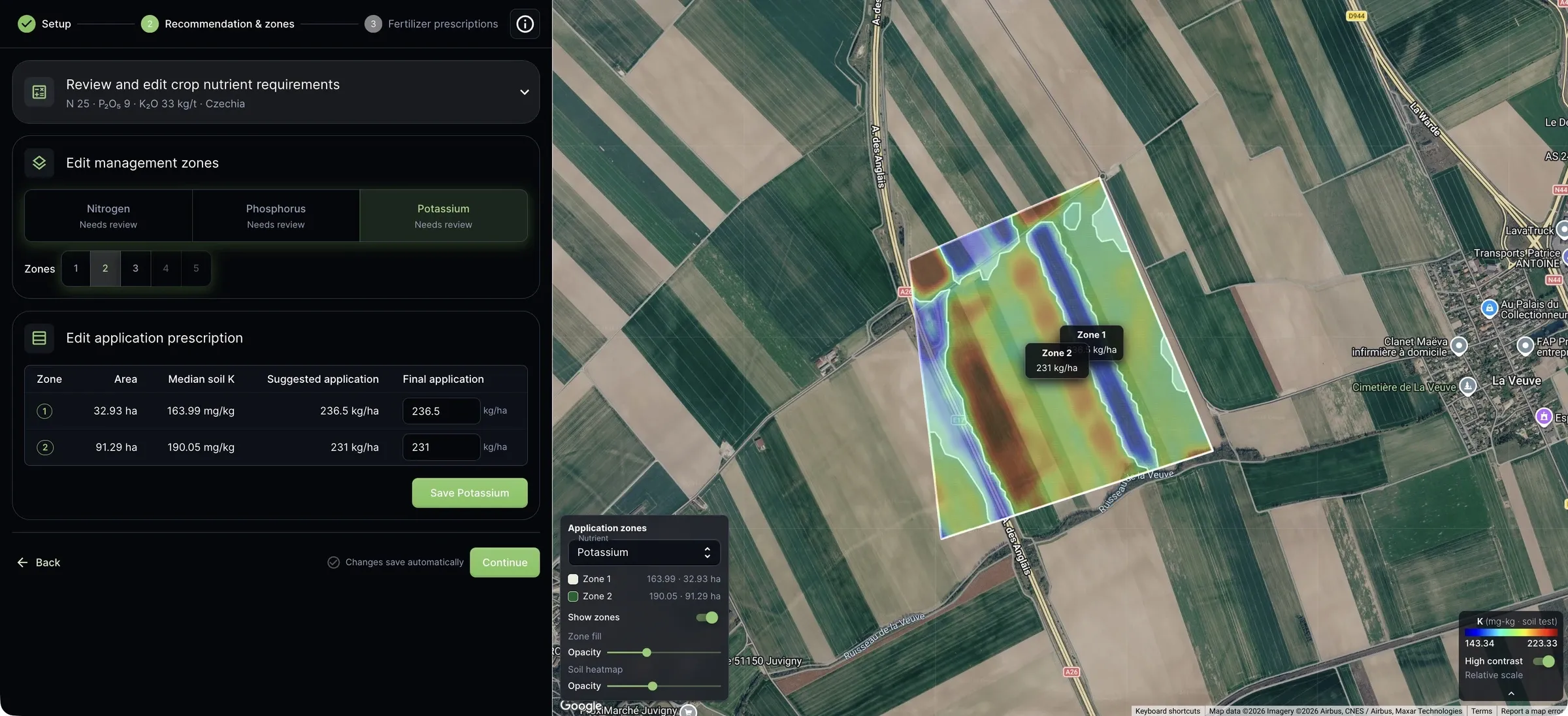
From soil results to application
Build a prescription for the field you know
Start with a soil analysis from Siora. Bring together your soil results, crop and target yield to build a fertilizer prescription — with one rate across the field or different rates for its management zones.
Flat-rate planning
Plan one application rate across the parcel, based on your soil results and crop needs.
Variable-rate planning
Plan phosphorus and potassium rates by soil zone, so the application can reflect differences within the field.
A free addition to your soil analysis
VRA Planning is free for every Siora user who has created a soil analysis. There is no extra planning fee. The feature is currently in beta.
Suggested rates, expert review
A starting point for your agronomist to verify
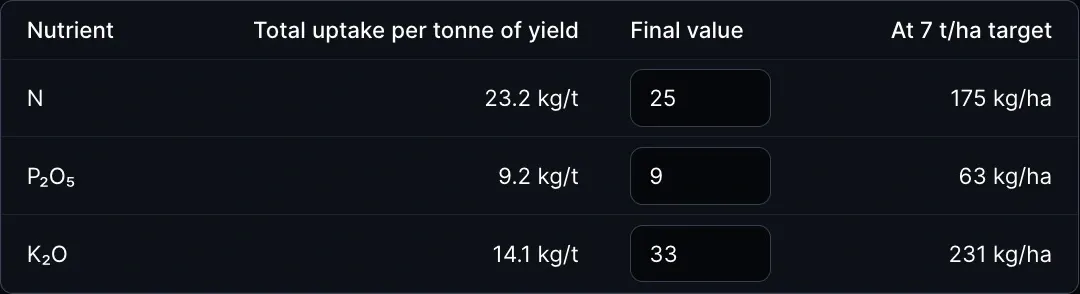
Siora suggests phosphorus and potassium application rates based on your crop, target yield and soil analysis. You set nitrogen as one rate across the parcel.
Your agronomist reviews the estimates against the field and local practice, adjusts the assumptions where needed and confirms the final rates before application. You keep control of the prescription.
Automatic zones, flexible choices
Find the zone layout that fits your field
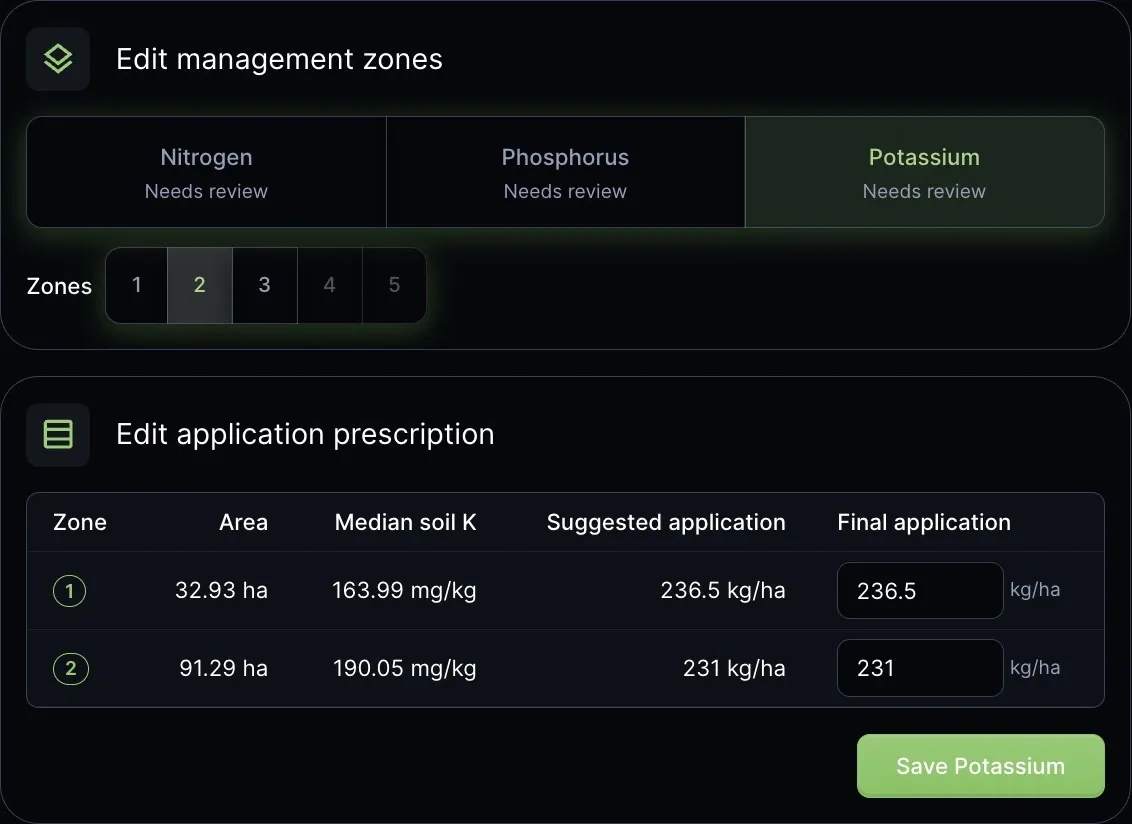
The planner automatically suggests management zones from your soil results. Adjust the number of zones and compare the map to find a practical balance between soil detail and application in the field.
Phosphorus and potassium can each have their own layout, with up to five zones where the field allows it. Final rates are editable for every zone. Nitrogen stays at one rate across the parcel.
Working width helps shape practical zones; small or narrow areas may be merged.
From nutrient rates to fertilizer quantities
Choose your products. Know how much to apply.
Turn the nutrient rates you have reviewed and approved into product prescriptions. Use a single compound fertilizer or separate products for nitrogen, phosphorus and potassium.
Products that fit your plan
Choose from listed fertilizers or add your own nutrient composition. For a compound product, select the nutrient that sets its rate; the other nutrient contributions remain visible for review.
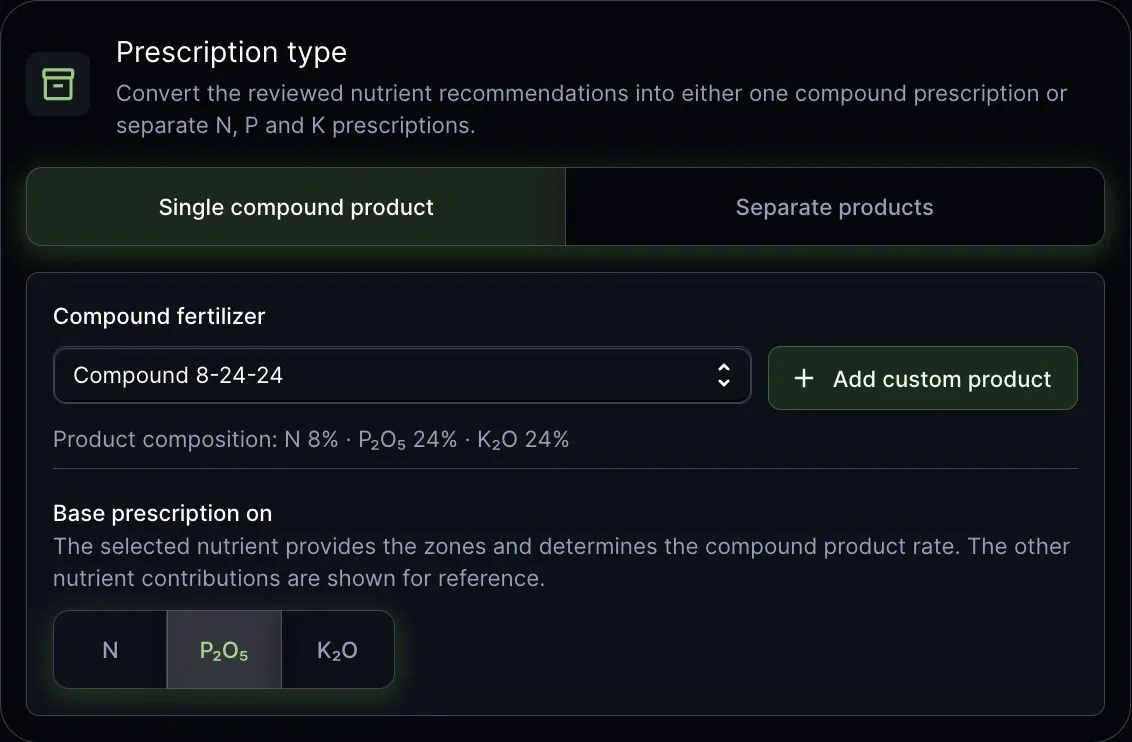
Clear rates and total quantities
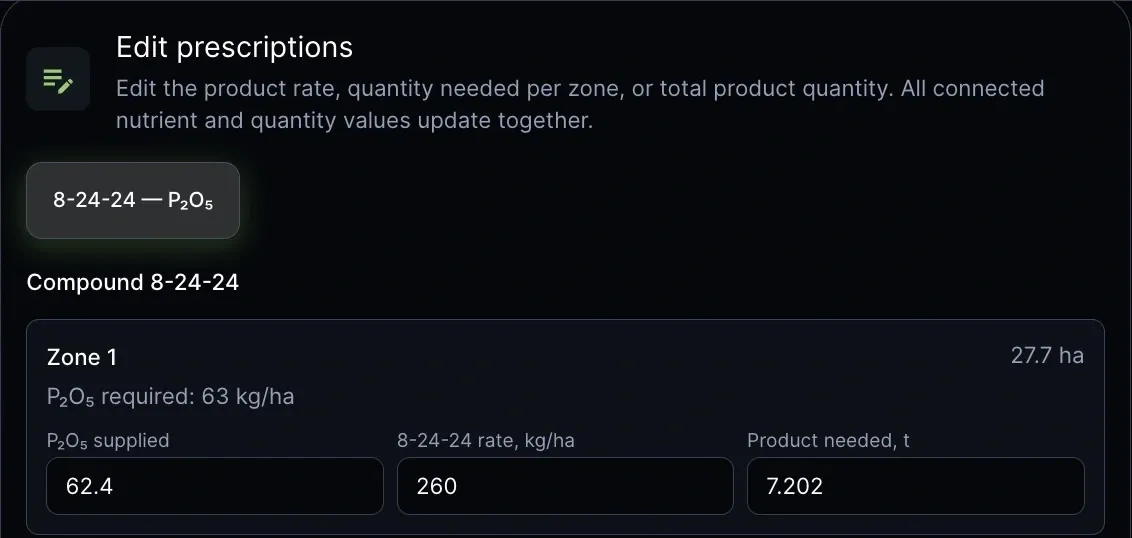
See how much product is needed for the approved nutrient rates, how much to apply per hectare and the total tonnes for the field. Edit a product rate or quantity and the connected values update together.
Ready to take into the field
Export your prescription as a shapefile
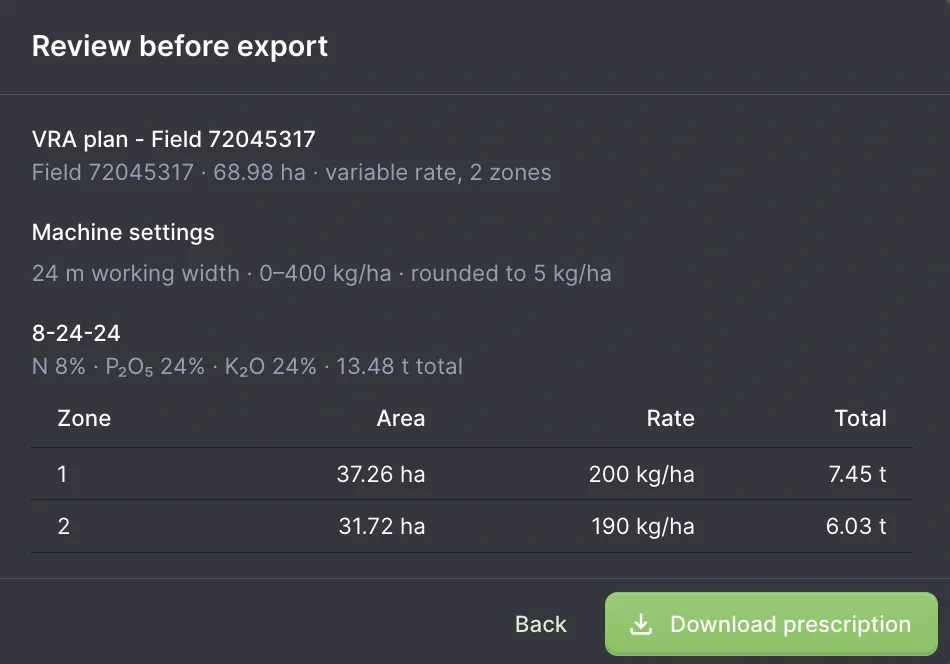
Download a ZIP containing a shapefile (.shp) prescription for each product and parcel, with application rates in kg/ha and import notes. Take the plan into farm software or an equipment display that supports shapefile imports.
Plan around your equipment
Set working width, minimum and maximum application rates, and rate rounding to suit your setup. Check your display's import requirements before using the prescription.
Questions
VRA Planning FAQ
Who can use VRA Planning?
VRA Planning is in beta and free for every Siora user who has created a soil analysis. To make a plan, you need a completed analysis on a field you own.
How are the nutrient rates estimated?
Crop and target yield shape the nutrient demand estimate. Suggested phosphorus and potassium rates also reflect soil status from the analysis, while nitrogen stays at one whole-field rate. Estimates are a starting point; review final rates for your field and local practice, ideally with an agronomist.
What does the export include?
The download is a ZIP with a shapefile prescription for each product and parcel, with rates in kg/ha and import notes. Farm display and equipment software can have different import requirements, so check the instructions for your system.
Will the export work with my equipment?
VRA Planning exports shapefiles, but supported formats and import steps vary by farm display and equipment software. Check your system's requirements before use.
Can I resume a plan later?
Yes. Your field, crop, equipment, zone and product choices save in a draft. Manually changed final product rates and quantities need to be reviewed again after you resume.
Free to soil analysis users · Beta
Put your soil results to work
VRA Planning is ready for Siora users with a completed soil analysis.