Additional Products
VRA Planning
Use your Siora soil analysis to plan a flat-rate or variable-rate fertilizer prescription. This guide explains what information to bring, what the planner estimates, and what you should review before export.
VRA Planning is currently in beta and is free for Siora users who have created a soil analysis. It is an extra planning tool; the prescription remains your decision and should be checked with an agronomist before application.
In Siora, open your field overview or completed soil analysis and choose VRA Planning.
Have these details ready
- A completed Siora soil analysis for the field you want to plan.
- The crop you intend to grow and a realistic target yield.
- The fertilizer product you plan to use. For a custom product, have its N, P₂O₅ and K₂O composition available.
- If you already have a preferred application amount, its product rate per hectare or total quantity.
- Your spreader's working width and rate limits if you want the plan to reflect that equipment.
- Your agronomist's advice and local nutrient-management practice for reviewing the suggested rates.
You do not need to know every final product rate before you begin. The planner helps you compare quantities against the nutrient prescription, and you can edit the product rate or quantity during review.
Set up the field plan
Select the field and the soil analysis you want to use. If the analysis contains separate field groups, choose the group you want to plan. Then check the crop, enter the target yield, and choose an application strategy:
- Flat rate applies one rate across the selected area.
- Variable rate allows rates to vary across management zones.
For variable-rate planning, enter the working width and any minimum, maximum or rounding settings needed for your spreader. These settings affect the rates and map you review, so use values that match the machine you plan to use. Confirm the selected field, analysis, group, crop, yield target and equipment settings before continuing.
Review crop nutrient estimates and application rates
The crop and target yield inform estimated nutrient removal. You can review and edit the nutrient amounts per tonne and see the resulting amount at your target yield. These values are estimates; check that the crop and yield assumptions fit your field and discuss them with your agronomist.
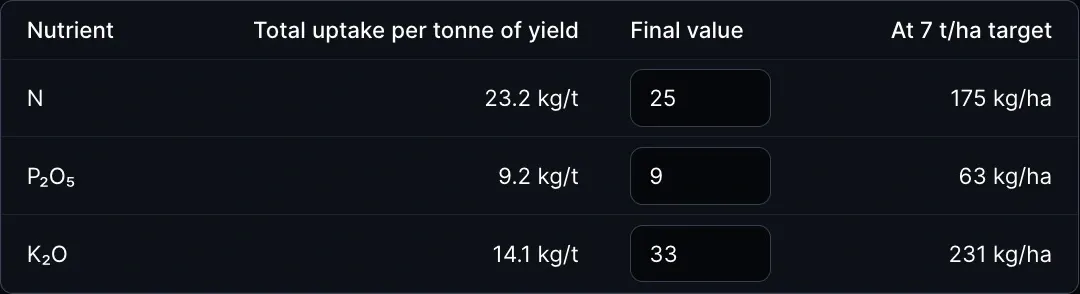
The planner suggests phosphorus and potassium rates using the soil analysis alongside the crop plan. Nitrogen is handled as one editable rate for the whole selected area; the planner does not provide a suggested nitrogen rate. Ask your agronomist to set or confirm nitrogen, and review the final N, P₂O₅ and K₂O rates before marking them as reviewed in the planner.
Phosphorus and potassium application values are shown as P₂O₅ and K₂O. Check these units when comparing the prescription with your fertilizer's composition.
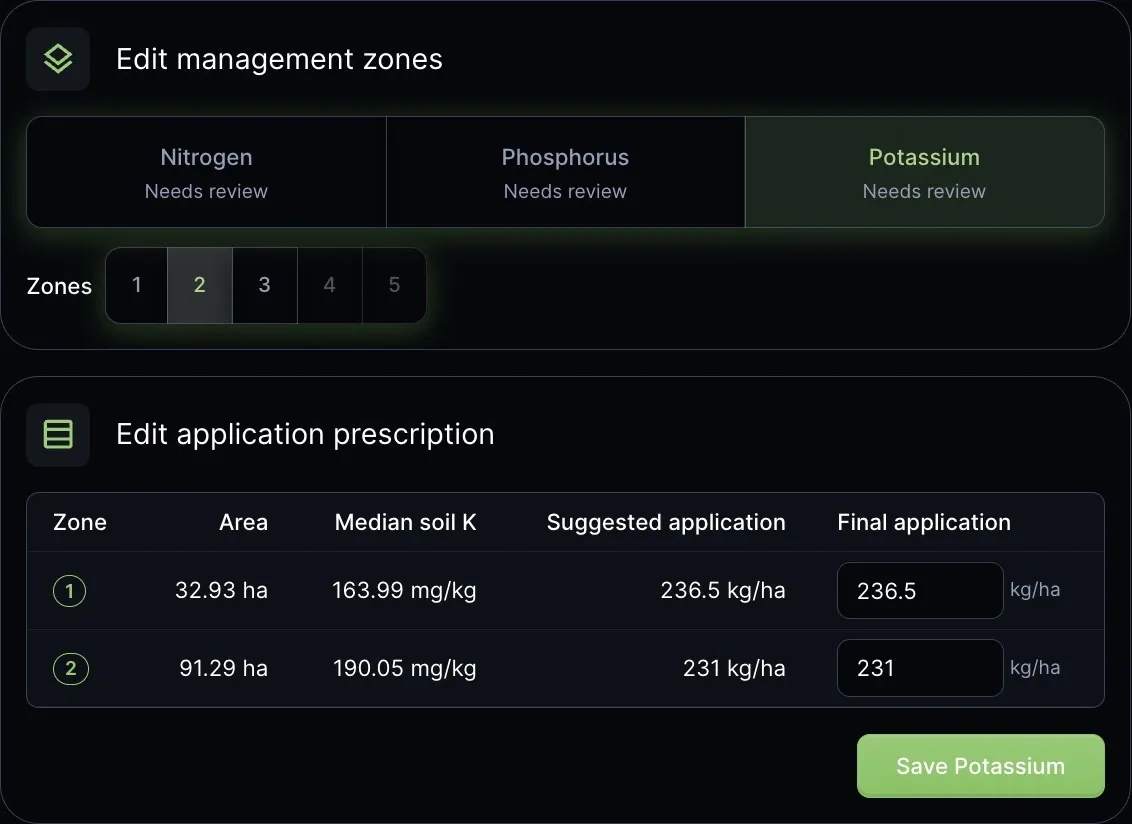
Select Nitrogen, Phosphorus and Potassium in turn. Check the final application rate and use the Save button for each nutrient. All three must be saved before continuing to fertilizer products. If you change the crop, yield or zones, review the affected rates again.
Saving or confirming a value in the planner records your choice. It does not mean an agronomist has independently checked or approved it.
Review and adjust management zones
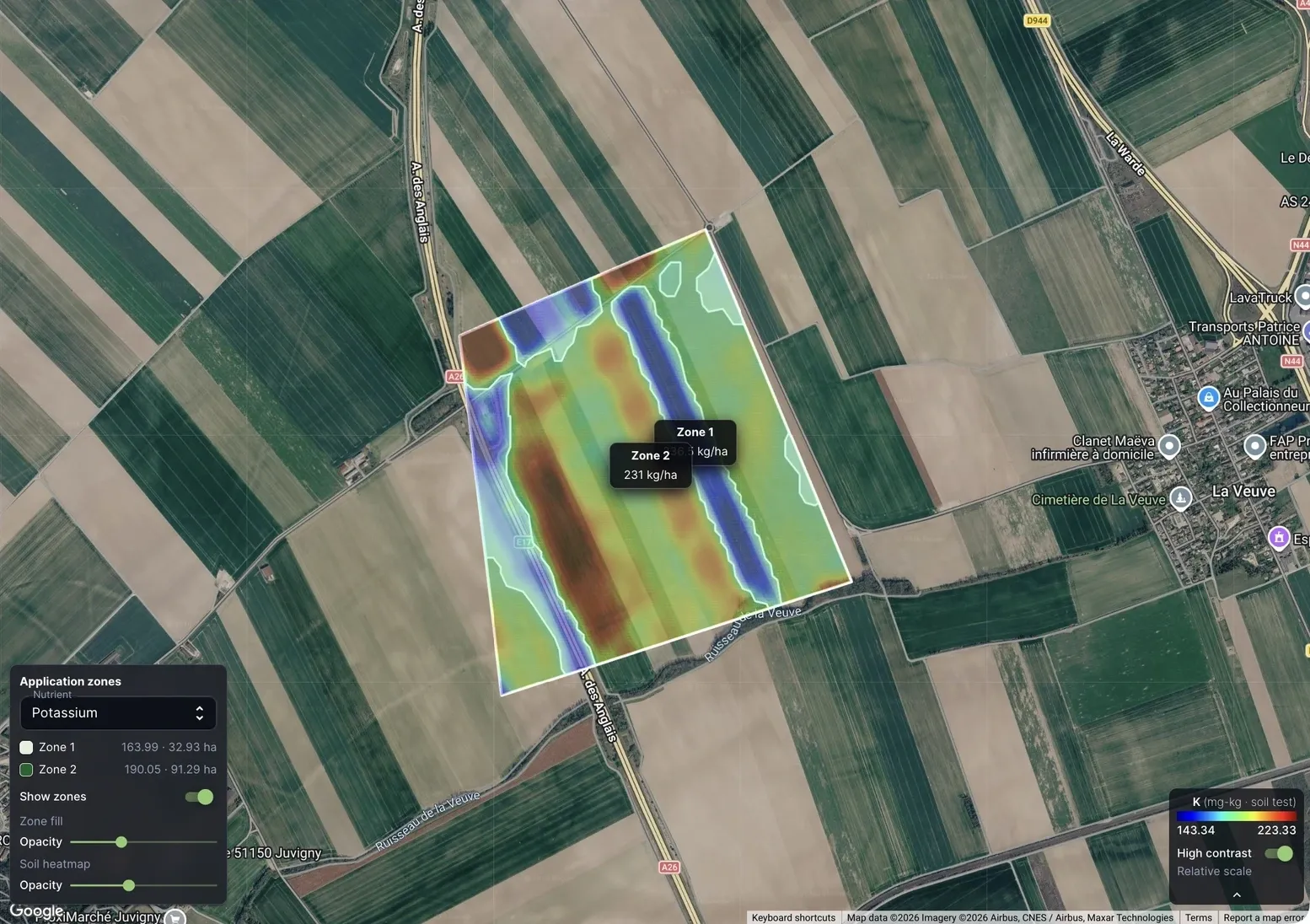
For variable-rate plans, Siora automatically suggests zones from the soil analysis. You can change the number of zones for phosphorus and potassium independently, then review each nutrient's map and rate table. Nitrogen stays at one rate across the selected area.
Choose a zone layout that is useful for the field and practical for your equipment. The planner may offer fewer zones than requested when the field shape, working width or zone sizes cannot support the larger number. Confirm that the map boundaries and rates make sense together; changing the zone count can change which areas share a rate.
Choose fertilizer products
Choose either one compound fertilizer or separate products for nitrogen, phosphorus and potassium. Select a product from the list, or enter a custom product's nutrient composition. Confirm the product names and composition match the products you can source and intend to apply.
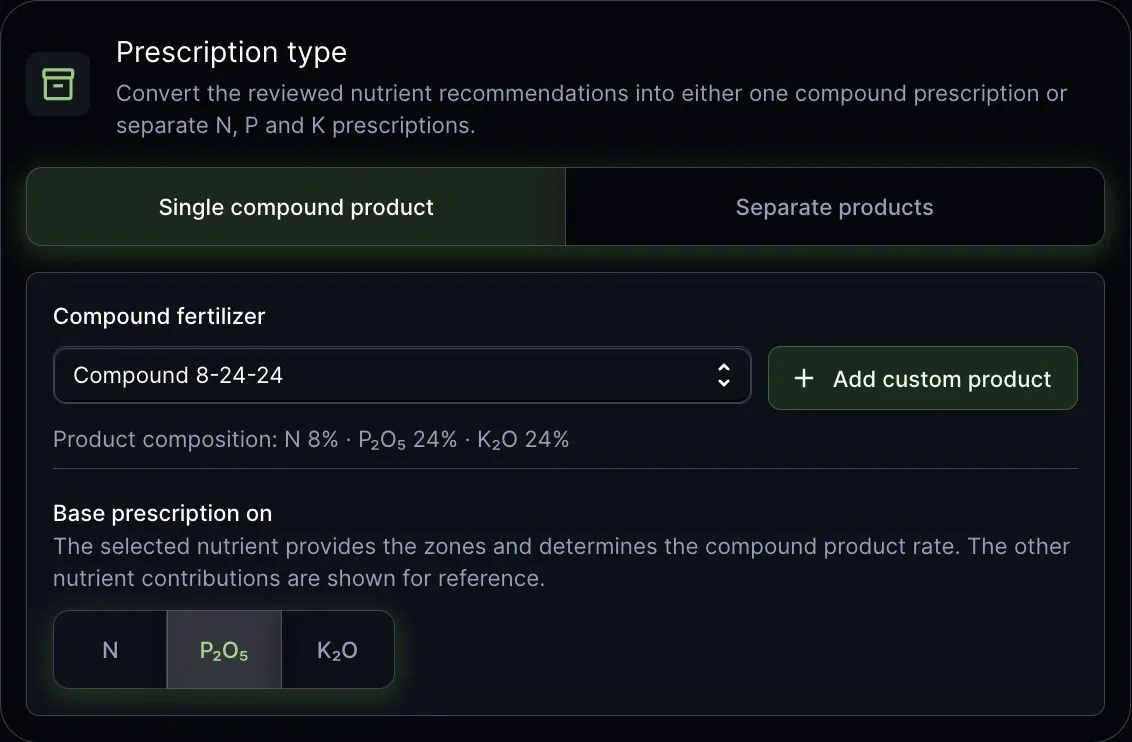
For a compound product, choose the nutrient that controls its rate. The other nutrients in that product are shown as contributions for review; the planner does not automatically make one compound product satisfy every nutrient target. Check the supplied amounts against the nutrient rates you approved, and discuss any trade-offs with your agronomist.
Check product rates and quantities
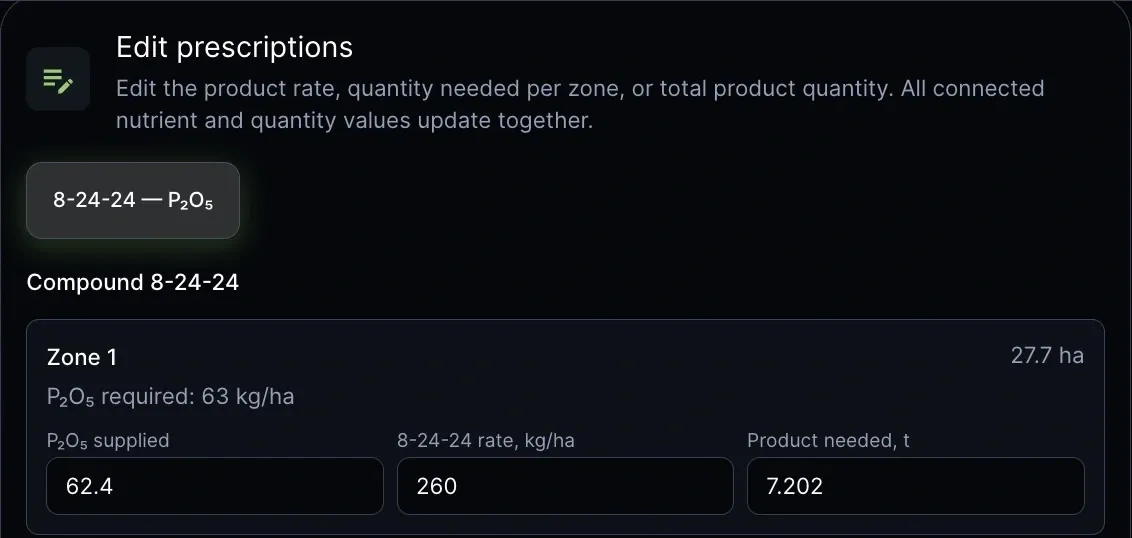
The product plan shows the nutrient supplied, product rate in kg/ha and product quantity for each zone, plus the total quantity for the field. Review these values against the approved nutrient rates and the amount of product you have available. If you change a product rate, supplied nutrient and quantity update together. If you change the quantity or supplied nutrient, the planner recalculates the product rate subject to the equipment settings.
Review and export the prescription
Before downloading, check the field and area, application strategy, machine settings, product composition, rate and total quantity. The export review lists each product's zone, area, application rate and quantity. Correct anything that does not match your plan, then download the prescription as a ZIP containing a shapefile (.shp) prescription for each product and parcel.
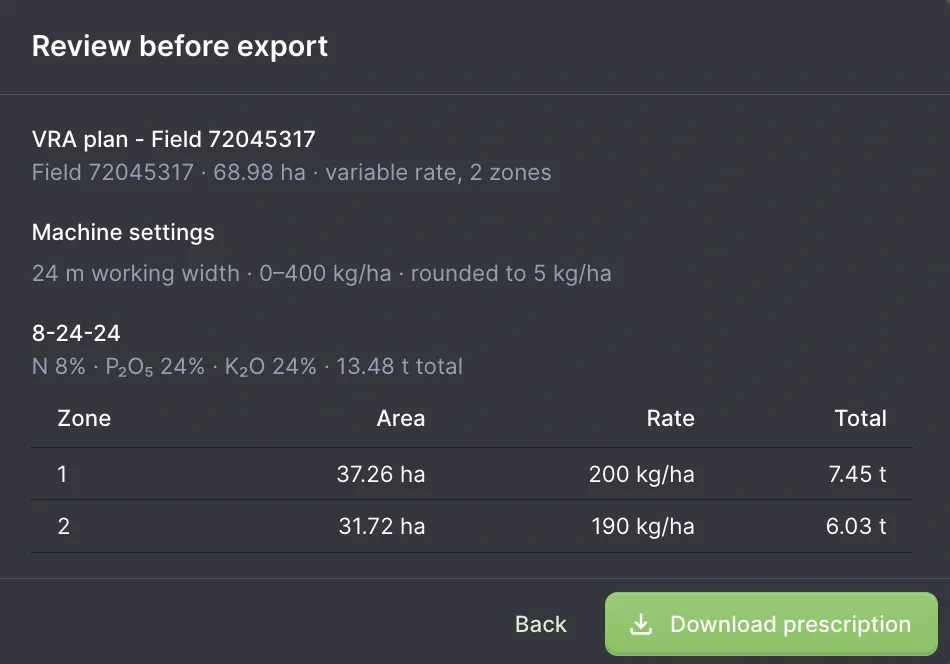
Check with your equipment supplier or operator that your system can import the exported shapefile package and follow that system's import instructions. Keep the export with the field and product details so it can be checked before use.
Resume a saved plan
The planner can offer a saved plan for the same field and soil analysis. You can resume it or start fresh. When resuming, verify the analysis, crop, target yield, equipment settings, nutrient rates, zone layouts and product composition. Manual edits to final product rates and quantities are not restored with the draft. Check the recalculated product prescription and re-enter those edits if needed before exporting. Review all values with your agronomist; a saved plan does not indicate agronomist approval.
Open the planner
Learn about VRA Planning or open your field inSiora to create a plan.